


Introduction
If you have ever clicked a button on a website and something changed instantly, that action was powered by coding with javascript. From small animations to full web applications, this language helps websites respond to users in real time.
In 2026, javascript remains one of the most important digital skills in the world. It is used by beginners building their first website and by professional developers working at global tech companies. If you are a student, a parent, or someone thinking about starting a tech career, understanding coding with javascript can open real opportunities.
The internet runs on three main technologies. HTML builds the structure of a webpage. CSS controls the design and layout. JavaScript controls behavior. That behavior includes clicks, forms, menus, animations, pop-ups, and live updates. When you learn coding with javascript, you learn how to make websites think and react.
Why Should You Learn Javascript?
One reason so many people start coding with javascript is accessibility. You do not need expensive software. You do not need a powerful computer. You only need a browser and a simple code editor. This makes it one of the easiest programming languages to begin with.
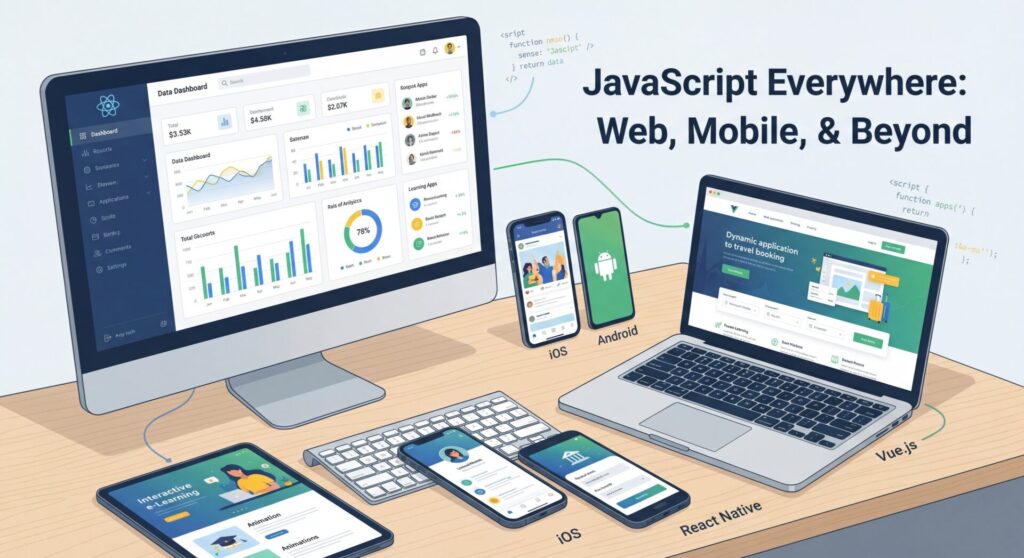
Another reason it is popular is flexibility. Coding with javascript is not limited to websites. It can also power mobile apps, desktop applications, backend systems, and even smart devices. Learning one language gives you access to many career paths.
Many beginners worry that programming is too difficult. The truth is that coding with javascript becomes manageable when you break it into small steps. You start with simple ideas like variables and functions. Then you slowly build confidence through practice.
By the end of this guide, you will understand what coding with javascript involves, how to start learning, what skills you will gain, and what career options exist in 2026.
This guide is written in simple language. No complicated explanations. No confusing jargon. Just clear steps to help you understand how everything works.
Let’s begin with the basics!
What Is JavaScript and Why Is It Important?
Before going deeper into coding with javascript, let us clearly understand what JavaScript actually is.
JavaScript is a programming language that runs inside web browsers, and tells a website how to behave. When you click a button and a menu opens, that is JavaScript. When a form shows an error because you forgot to fill a box, that is JavaScript. When new content loads without refreshing the page, that is also JavaScript.
Think of a website like a human body. HTML is the skeleton. CSS is the clothing and appearance. JavaScript is the brain and muscles. It decides what happens and when it happens.
In 2026, almost every website uses JavaScript. Social media platforms, online shops, banking apps, news sites, and streaming services all depend on it. That is why coding with javascript is still one of the most valuable technical skills today.
Another important reason JavaScript matters is that it runs everywhere. Every modern browser supports it. You do not need to install anything special. If you can open a website, you can run JavaScript.
But JavaScript is not limited to browsers anymore. Developers now use it on servers through tools like Node.js. This means coding with javascript can handle both the front part of a website that users see and the backend systems that process data. Because of this flexibility, many developers become full-stack developers using only JavaScript. That makes coding with javascript a powerful long-term skill.
You may also hear about frameworks and libraries like React, Vue, or Angular. These tools are built on JavaScript. They help developers build modern applications faster. However, they all depend on a strong understanding of coding with javascript first.
Another reason beginners choose JavaScript is immediate feedback. When you write a small piece of code and refresh your browser, you instantly see what changed. That quick feedback makes learning more motivating.
Is JavaScript difficult?
At first, some ideas may feel new. Programming teaches you to think logically, but coding with javascript becomes easier when you practice small problems every day. The key idea to remember is this: JavaScript controls interaction. Without it, websites would only show static text and images. With it, websites become interactive experiences.
Now that you understand what JavaScript is, let us talk about how to begin learning it step by step.
How to Start Coding in JavaScript: Your First Steps
How can you begin coding with javascript? The good news is that you can start today without paying for expensive tools. You already have what you need. All you need is a web browser and a simple text editor.
Many beginners are surprised by how easy it is to start coding with javascript. You do not need a powerful computer. You do not need special software. JavaScript runs directly in your browser.
Step 1: Understand Your Environment
You can write JavaScript directly in your browser. Open Chrome or Firefox, press F12, and click the “Console” tab. You can type code there and see results immediately. This is one of the fastest ways to practice coding with javascript.
However, most developers prefer using a code editor. A popular free option is Visual Studio Code. It helps you write cleaner code by highlighting errors and suggesting improvements. Using a good editor makes coding with javascript easier and more organized.
Step 2: Write Your First Code
To begin properly, create two files:
index.html
script.js
In your HTML file, you connect the JavaScript file. Then you can start writing simple commands.
Your first program will likely display “Hello, World!” on the screen. This simple test proves everything is working correctly. It may seem small, but it is your first real step in coding with javascript.
Step 3: Learn the Basics
In your first month, focus only on the fundamentals. These include:
Variables (used to store information)
Data types (numbers, text, true/false values)
Functions (blocks of reusable code)
If statements (making decisions)
Loops (repeating actions)
These basic ideas form the foundation of coding with javascript. Once you understand them, more advanced topics become easier.
Step 4: Follow a Structured Path
There are many free platforms that teach JavaScript step by step. Websites like freeCodeCamp and JavaScript.info provide exercises that let you practice while learning. Structured learning prevents confusion and keeps your progress steady.
Studies show that learners who build small projects improve faster than those who only read tutorials. When learning coding with javascript, practice is more important than watching videos.
A Realistic Learning Timeline
Here is a simple overview of what most learners experience:
Basic JavaScript (1–3 months)
You will learn variables, functions, loops, arrays, and simple DOM manipulation.
Intermediate Skills (3–6 months)
You will understand modern features, asynchronous programming, APIs, and debugging.
Advanced Level (6–9+ months)
You may start learning frameworks like React, Vue, or Angular and build complete projects.
Job-Ready Level (9–12 months)
You will create a portfolio, learn version control, testing, and deployment.
Remember, this timeline assumes consistent practice. Spending 30 to 60 minutes daily on coding with javascript is more effective than studying only on weekends.
Is JavaScript Harder Than Python?
Many beginners ask this question. Python is often easier at the beginning because its syntax looks more like plain English. JavaScript may feel slightly more complex because you learn about the browser and the Document Object Model earlier.
However, coding with javascript gives you instant visual results. You can see your code change a webpage immediately. This makes learning exciting and motivating. If your goal is web development, coding with javascript is essential. Python is powerful for data science and backend systems, but JavaScript dominates the web.
The most important thing is consistency. Small daily progress leads to big results over time.
Core JavaScript Concepts: What You’ll Actually Learn
When learning coding with javascript, it helps to understand exactly what you will study. Many beginners feel nervous because they imagine programming is very complicated. In reality, coding with javascript is built step by step, starting from simple ideas.
Let’s break the main concepts into clear and simple parts.
Variables and Data Types
Variables are like labeled boxes where you store information. For example, you can store a name, a number, or a true/false value. In modern coding with javascript, developers mainly use let and const to create variables. These store:
Strings (text)
Numbers
Booleans (true or false)
Arrays (lists of items)
Objects (groups of related information)
Learning how to store and manage data is one of the first steps in coding with javascript.
Functions
Functions are blocks of code that perform a task. Instead of writing the same code again and again, you write it once and reuse it.
For example, you might create a function that checks if a password is long enough. Each time a user types a password, the function runs.
Modern coding with javascript also uses arrow functions, which are shorter and cleaner ways to write functions. Functions help keep your code organized and easier to understand.
Control Flow and Logic
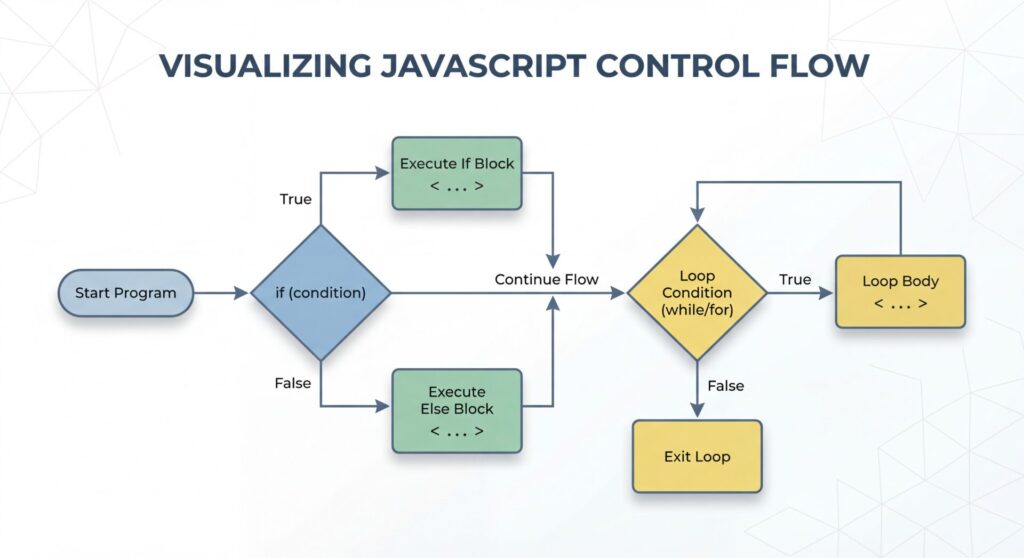
Programs must make decisions. This is where if statements and loops are used.
If statements allow your program to choose what to do based on a condition. For example:
If a user enters the correct password, allow access.
If not, show an error.
Loops repeat actions without rewriting the same code many times. These logical tools are essential in coding with javascript because they control how your program behaves.
DOM Manipulation
This is where things become exciting.
The Document Object Model (DOM) represents your webpage as elements that JavaScript can change. You can:
Change text
Modify styles
Show or hide elements
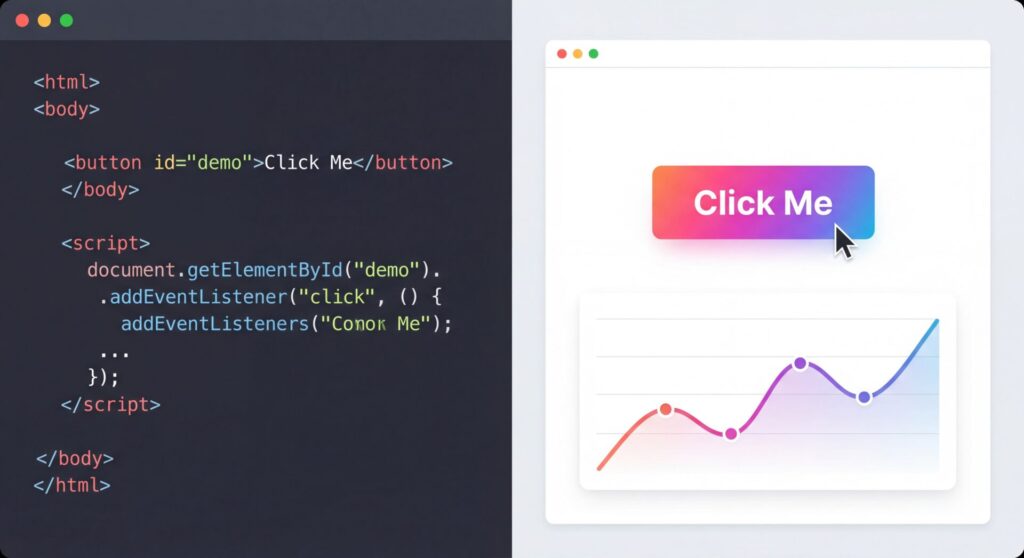
React to button clicks
DOM manipulation is one of the most powerful parts of coding with javascript because it connects your code directly to what users see.
Asynchronous Programming
Some tasks take time. For example, loading data from a server or fetching weather information. JavaScript handles these tasks without freezing the page.
You will learn about:
Callbacks
Promises
Async/await
These tools allow coding with javascript to manage time-based actions smoothly. They help create modern features like live chat, real-time scores, and instant updates.
Arrays and Objects
Arrays store lists of data, such as items in a shopping cart. Objects store related information together, such as a user profile with a name and email.
Understanding arrays and objects is very important in coding with javascript because almost every application depends on them.
You will also learn useful methods like:
map()
filter()
reduce()
These help transform and process data easily.
Events and Event Handling
Websites respond to actions like clicks, typing, and scrolling. These actions are called events.
Event handling allows coding with javascript to detect those actions and respond. For example:
Clicking a button opens a menu.
Typing in a form checks for errors.
Scrolling triggers animations.
This is how websites become interactive instead of static.
Modern JavaScript Features
JavaScript has improved over the years. Modern features include:
Destructuring (extracting values easily)
Template literals (writing cleaner strings)
Spread operators (copying data easily)
Modules (organizing code into files)
These features make coding with javascript cleaner and easier to manage, especially in large projects.
Working with APIs
APIs allow your application to connect to other services. For example:
Getting weather data
Loading social media posts
Processing payments
When coding with javascript, you will learn how to request data from servers and display it on your website.
Debugging and Problem Solving
Every programmer makes mistakes. Errors are normal. What matters is learning how to fix them.
You will use browser developer tools to find and correct problems. Over time, coding with javascript strengthens your problem-solving skills and logical thinking.
As you improve, you may start learning frameworks like React, Vue, or Angular. These tools help developers build larger and more complex applications more efficiently.
What You Can Build with JavaScript: Real-World Applications
One of the best parts of learning JavaScript is seeing what you can create. You do not need to wait years before building something useful. With coding with javascript, you can start building small interactive projects within weeks.
You can build interactive websites with menus that open when clicked, forms that check for errors, image sliders, and simple animations. Many beginners create a personal portfolio website as their first big project. As your skills grow, your projects become more advanced.
You can also build web applications. These are websites that function like software programs. Examples include task managers, budgeting tools, habit trackers, and note-taking apps. Through coding with javascript, you learn how to manage user input, update content, and store information.
Mobile apps are another possibility. Using tools like React Native, developers use JavaScript to build apps that run on both Android and iOS. This means your knowledge of coding with javascript can go beyond websites and into mobile development.
You can also create simple games in the browser. Puzzle games, quizzes, and interactive learning tools are great practice projects. These projects teach logic, timing, and user interaction in a fun way.
JavaScript is also used for dashboards and data visualization. Businesses often need charts and graphs to show data clearly. JavaScript libraries allow developers to turn numbers into interactive visuals.
Another powerful use is server-side development with Node.js. This allows developers to handle databases, user accounts, and backend systems. Because of this, coding with javascript can support full-stack development, meaning both frontend and backend.
As you build more projects, your confidence increases. Each project helps you understand how real applications are structured.
JavaScript Career Opportunities and the Future
The demand for JavaScript developers remains strong in 2026. Companies of all sizes need websites, applications, and digital systems. Because of this, developers who understand JavaScript continue to find job opportunities.
Career paths include:
Frontend Developer
Full-Stack Developer
Mobile Developer
Backend Developer using Node.js
JavaScript Engineer
Many developers also freelance. Businesses regularly hire freelancers to build or improve websites and applications. Salaries vary by experience level, but even entry-level developers can earn competitive pay. With experience, income increases significantly.
Technology continues evolving, but JavaScript remains central to web development. New tools, frameworks, and updates build on top of it rather than replace it.
Frequently Asked Questions
How long does it take to get a job?
With consistent learning, many people become job-ready within 9–12 months.
Can beginners learn JavaScript?
Yes. Many successful developers started with no previous experience.
Do I need HTML and CSS first?
Yes. You should understand basic HTML and CSS before focusing fully on JavaScript.
Is JavaScript still relevant?
Absolutely. It continues to power most websites and applications worldwide.
Check out related articles on web development:
Conclusion
Learning JavaScript is one of the smartest steps you can take if you want to enter the tech industry. It allows you to build websites, applications, and tools used by people every day. The journey requires patience and steady practice. However, the rewards are significant. You gain technical skills, problem-solving ability, and access to a growing job market. If you stay consistent and keep building projects, you will see steady progress. The world of web development continues to grow, and JavaScript remains at the center of it.
Start Learning Javascript Today! 
Ready to begin your journey? Give yourself or your child the tools to succeed in coding and technology. Explore our beginner-friendly Javascript guides, fun projects, and structured lessons to make learning programming exciting, practical, and confidence-building. Click here to start.

2 Responses